Multi-Agent Systems: Collaboration Patterns Costs and Failure Modes
September 22, 2026
Build an AI Knowledge System With Provenance
September 24, 2026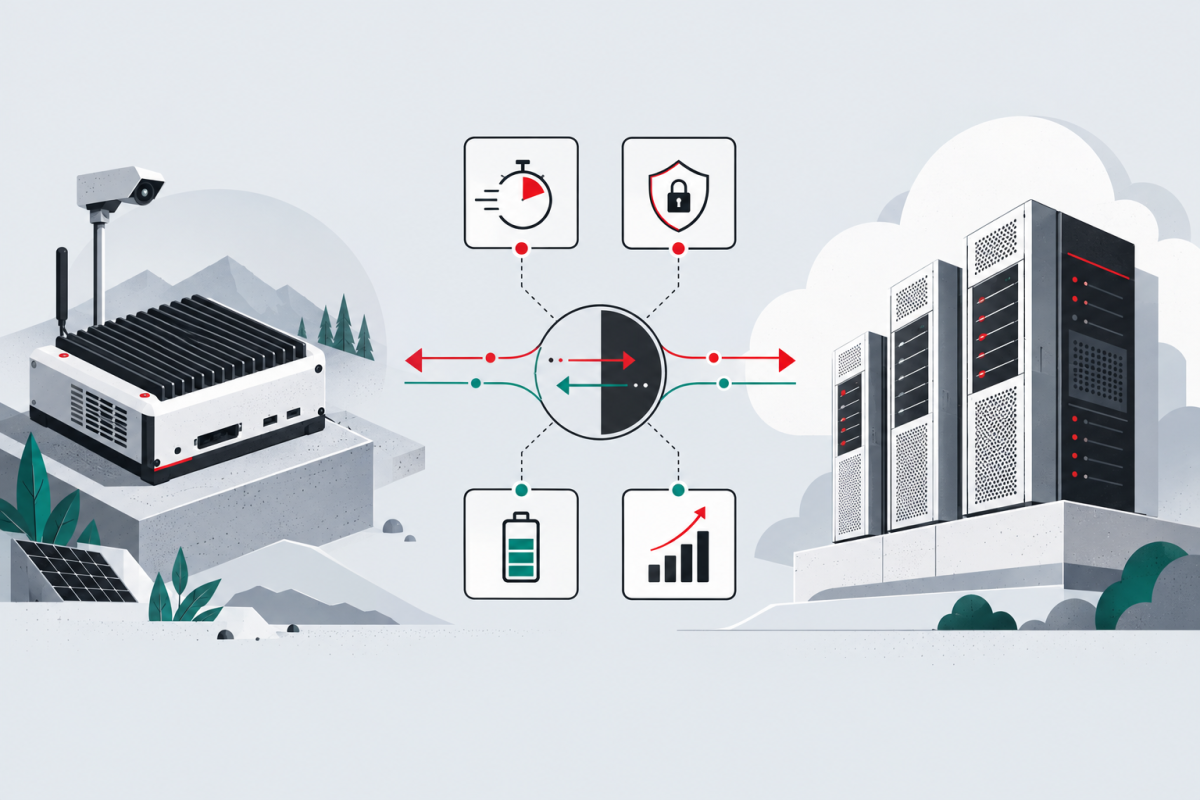
“AI PC” can describe several very different things: a computer with a dedicated neural processing unit, a workstation with a discrete GPU, or an ordinary laptop that sends requests to a cloud model. Choosing among them requires more than comparing TOPS.
An NPU is specialized for efficient machine-learning operations. It can keep compatible features running without occupying the CPU or graphics processor and may offer a better power profile for sustained background tasks. That makes it attractive for transcription, camera effects, OCR, small language models and other workloads designed for the platform.
Microsoft defines its Copilot+ PC class around a dedicated NPU with at least 40 TOPS. Its current Windows documentation also distinguishes several execution paths: built-in Windows AI APIs for supported devices, Foundry Local for running a broader model catalog locally and Windows ML for applications that need more control over ONNX models and hardware execution providers.
TOPS is an entry condition, not an experience guarantee
TOPS states a theoretical rate of operations, usually at a specified low precision. It does not tell you whether your model is supported, how much memory it needs, how quickly tokens appear or whether an application's runtime can use the NPU at all.
Before buying hardware for a specific workflow, verify:
- the exact model and runtime;
- supported data type and operator set;
- memory and storage requirements;
- sustained rather than burst performance;
- measured latency on the target device;
- fallback behavior when the NPU path is unavailable.
A capable NPU that the application cannot address may contribute nothing to that workload. A supported GPU can be more flexible for larger local models, image generation or custom frameworks, though it may consume more power. CPU inference can remain useful for small models, portability and low-volume tasks.
Local processing improves the privacy boundary — conditionally
Microsoft states that Windows AI APIs process their inputs locally and that Foundry Local inference inputs and outputs do not leave the machine. That can reduce the amount of sensitive content sent to a remote service. It does not automatically secure the full application. Logs, crash reports, model downloads, plugins and synchronization features may still create network paths.
Privacy claims must therefore be checked at the workflow level. Determine what enters the model, which components make network requests, where outputs are stored and who can access the device.
Cloud is not simply the opposite of private
Cloud execution can provide models and memory that do not fit locally, centralize updates and serve many users. It also introduces network dependency, service policy and a different data boundary. Apple’s Private Cloud Compute documentation shows one possible hybrid architecture: process suitable requests on-device and send more complex work to a hardened cloud environment with explicit requirements for request handling and data retention.
That design is specific to Apple and should not be generalized to every cloud AI service. The broader lesson is that location alone is an incomplete security model. Architecture, encryption, retention, operator access and verifiability all matter.
Choose by workload
Use an NPU when the application explicitly supports it and power-efficient, low-latency local inference matters. Use a GPU when the workload needs broader model support, more memory or mature acceleration libraries. Use cloud execution when the model or concurrency target exceeds local capacity, provided the data and service boundary is acceptable. A hybrid can route different tasks to different environments, but it needs visible rules and a safe failure mode.
For data-center accelerator selection, read AI Accelerators Beyond TOPS. For handling sensitive sources inside a workflow, continue with Build an AI Knowledge System With Provenance.
Primary sources
- Microsoft: develop AI applications for Copilot+ PCs
- Microsoft: choose a Windows AI solution
- Microsoft Windows AI FAQ
- Apple Private Cloud Compute Security Guide
Source and adaptation note: This article is an original Stariy.com hardware guide. General agent and deployment concepts were informed by AI Agents in Depth: Design Principles and Engineering Practice by Bojie Li and contributors, distributed under Apache License 2.0. The text and recommendations were independently developed.